English · ภาษาไทย
English
Step 1 — Browsing and bidding
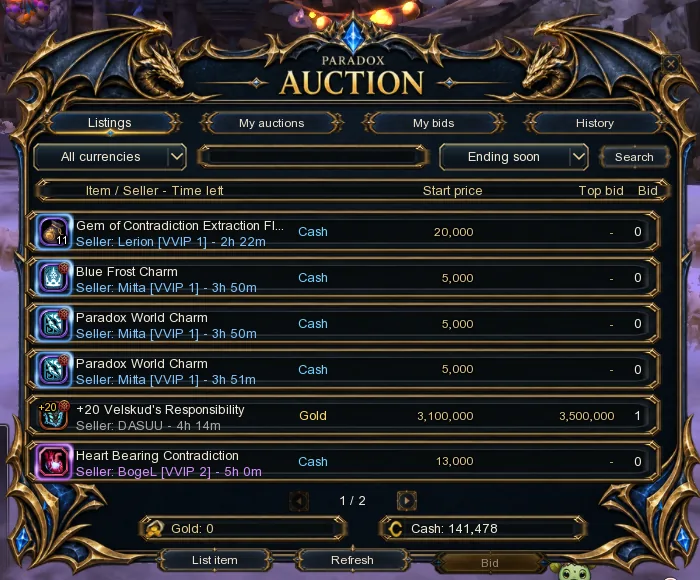
The Listings tab shows every open auction. The tabs along the top are Listings, My auctions, My bids and History.
- Columns: item / seller and time left, Start price, Top bid and Bid (the number of bids placed so far)
- Each row’s currency (Cash or Gold) is shown in the middle
- Filter by currency with All currencies, search an item name and press Search, or change the sort order, for example Ending soon
- Use the arrows at the bottom to change page (for example 1 / 2)
- Your Gold and Cash balances sit at the bottom, next to the List item, Refresh and Bid buttons
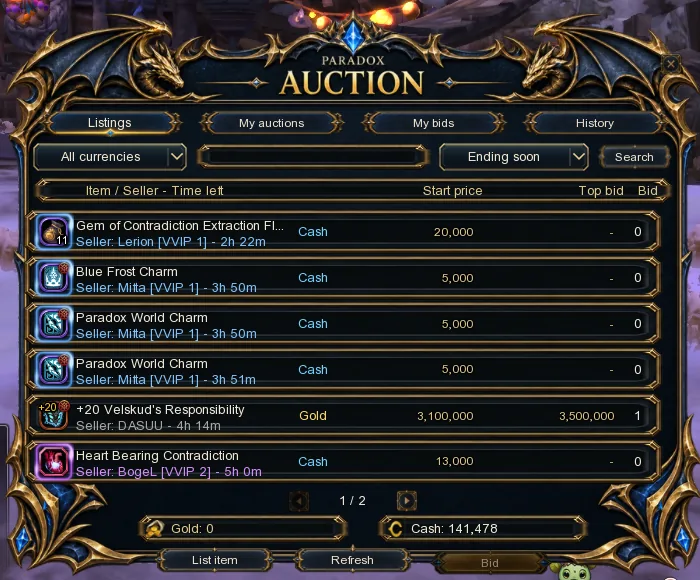
The Paradox Auction Listings tab Select a listing and press Bid (the button stays greyed out until a listing is selected). Make sure your Gold / Cash balance covers it first.
- My bids — follow the auctions you have bid on
- History — review auctions that have finished
- Press Refresh to update the listings and time left
Step 2 — Listing your own item
Press List item, then right-click an item in your bag to place it in the slot.
- Account auctions shows how many of your account’s auction slots are in use (0 / 1 in the screenshot)
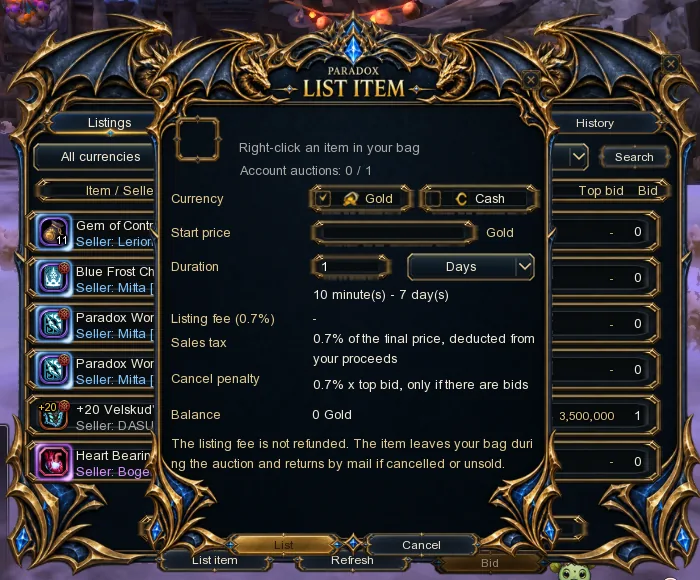
The List item window Choose a currency (Gold or Cash), enter a Start price and set the Duration — anywhere from 10 minutes to 7 days — then press List.
Check the costs before you press List.
- Listing fee (0.7%) — charged for listing, not refunded
- Sales tax — 0.7% of the final price, deducted from your proceeds
- Cancel penalty — 0.7% × the top bid, only if there are bids
- Balance — your current balance
- Example: an item that sells for 3,500,000 Gold pays 24,500 Gold in sales tax
Good to know
The item leaves your bag during the auction and returns by mail if the auction is cancelled or unsold. The listing fee is not refunded.
ภาษาไทย
ระบบประมูล Paradox Auction
ระบบประมูลของ Paradox — ดูรายการ บิด และลงขายไอเทมของตัวเองด้วย Gold หรือ Cash
ขั้นที่ 1 — ดูรายการและบิด
แท็บ Listings แสดงรายการประมูลทั้งหมดที่เปิดอยู่ แท็บด้านบนมี Listings, My auctions, My bids และ History
- คอลัมน์: ไอเทม / ผู้ขาย และเวลาที่เหลือ, ราคาเริ่มต้น (Start price), ราคาบิดสูงสุด (Top bid) และจำนวนครั้งที่บิด (Bid)
- สกุลเงินของแต่ละรายการแสดงตรงกลางแถว (Cash หรือ Gold)
- กรองสกุลเงินได้ที่ All currencies, ค้นหาชื่อไอเทมแล้วกด Search และเรียงลำดับ เช่น Ending soon
- ลูกศรด้านล่างใช้เปลี่ยนหน้า (เช่น 1 / 2)
- ด้านล่างแสดงยอด Gold และ Cash ของคุณ พร้อมปุ่ม List item, Refresh และ Bid
หน้า Paradox Auction แท็บ Listings เลือกรายการที่ต้องการ แล้วกดปุ่ม Bid (ปุ่มจะเป็นสีเทาจนกว่าจะเลือกรายการ) ตรวจสอบยอด Gold / Cash ของตัวเองให้พอก่อน
- My bids — ติดตามรายการที่คุณบิดไว้
- History — ดูประวัติรายการที่จบแล้ว
- กด Refresh เพื่ออัปเดตรายการและเวลาที่เหลือ
ขั้นที่ 2 — ลงขายไอเทมของตัวเอง
กดปุ่ม List item แล้วคลิกขวาที่ไอเทมในกระเป๋าเพื่อวางลงในช่อง
- Account auctions แสดงจำนวนช่องประมูลของบัญชีที่ใช้อยู่ (ตัวอย่างในภาพคือ 0 / 1)
หน้าต่าง List item เลือกสกุลเงิน (Gold หรือ Cash) ใส่ราคาเริ่มต้น (Start price) และกำหนดระยะเวลา (Duration) ได้ตั้งแต่ 10 นาทีถึง 7 วัน จากนั้นกด List
ตรวจสอบค่าใช้จ่ายก่อนกด List
- Listing fee (0.7%) — ค่าธรรมเนียมการลงขาย ไม่คืนเงิน
- Sales tax — 0.7% ของราคาสุดท้าย หักจากเงินที่คุณได้รับ
- Cancel penalty — 0.7% × ราคาบิดสูงสุด คิดเฉพาะตอนที่มีคนบิดแล้ว
- Balance — ยอดเงินปัจจุบันของคุณ
- ตัวอย่าง: ขายได้ 3,500,000 Gold ภาษี 0.7% = 24,500 Gold
ข้อควรรู้
ไอเทมจะออกจากกระเป๋าระหว่างประมูล และจะส่งกลับทางจดหมายถ้ายกเลิกหรือขายไม่ออก ส่วนค่าธรรมเนียมการลงขายจะไม่ถูกคืน