English · ภาษาไทย
English
Step 1 — Opening many boxes at once
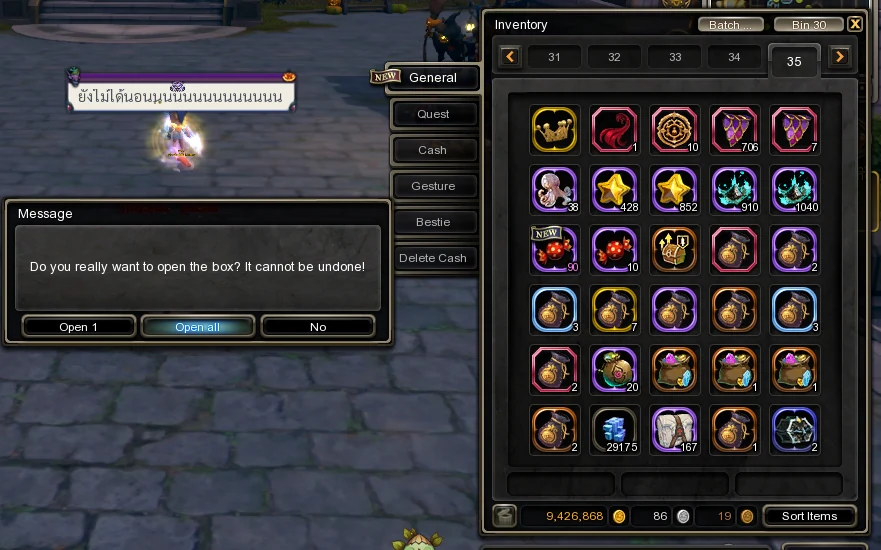
In your inventory, use a box or pouch that you have a stack of. A Message window asks Do you really want to open the box? It cannot be undone!
- Open 1 — opens a single one
- Open all — opens the entire stack at once
- No — cancels
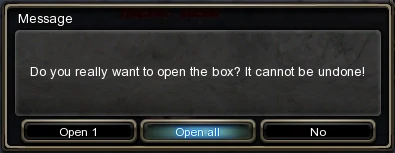
The confirmation window before opening a box 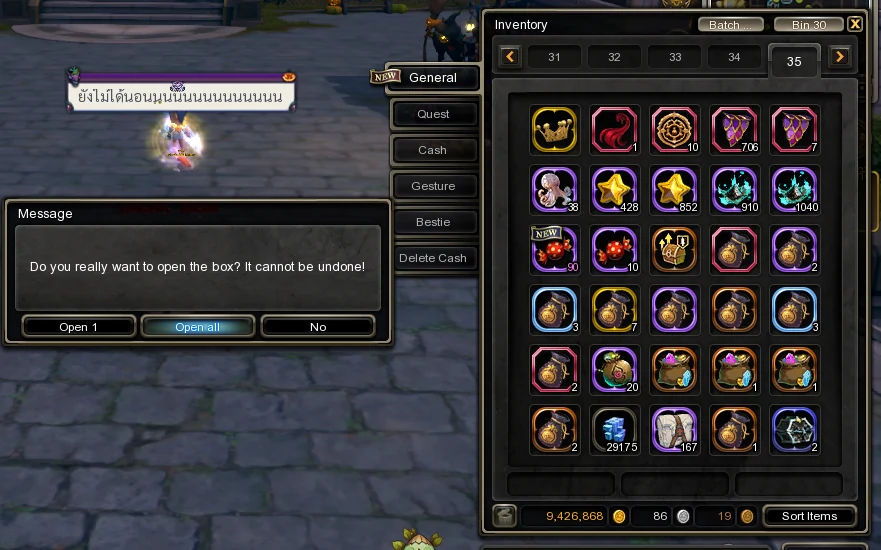
Opening boxes from the inventory with Open all
Step 2 — Reading the result
After you press Open all, a Batch open window lists everything you received combined into one list (for example Title : Dimension Traveler x7) with a progress bar.
- All opened shows how many have been opened (for example All opened: 7)
- If there are more kinds of items than fit on one page, use the left/right arrows at the bottom to change page
- Press OK when you are done; the box slot in your bag becomes empty
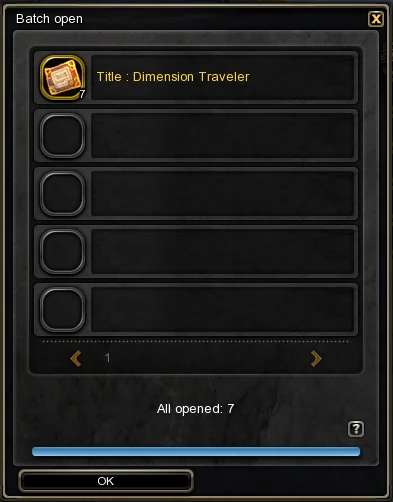
The Batch open window showing the combined result No undo
Open all opens the whole stack immediately. If you are unsure, use Open 1 first.
ภาษาไทย
เปิดกล่องทีละหลายชิ้น (Open all)
เปิดกล่องหรือถุงทั้งกองในครั้งเดียว — Open all และหน้าต่างสรุป Batch open
ขั้นที่ 1 — เปิดกล่องทีเดียวหลายชิ้น
ในกระเป๋า ใช้กล่องหรือถุงที่ซ้อนกันอยู่ จะมีหน้าต่าง Message ถามว่า Do you really want to open the box? It cannot be undone! (ย้อนกลับไม่ได้)
- Open 1 — เปิดทีละ 1 ชิ้น
- Open all — เปิดทั้งกองในครั้งเดียว
- No — ยกเลิก
หน้าต่างยืนยันก่อนเปิดกล่อง เปิดกล่องจากกระเป๋าด้วย Open all
ขั้นที่ 2 — ดูผลลัพธ์
เมื่อกด Open all จะมีหน้าต่าง Batch open แสดงของที่ได้ทั้งหมดรวมเป็นรายการเดียว (เช่น Title : Dimension Traveler x7) พร้อมแถบความคืบหน้า
- All opened แสดงจำนวนที่เปิดไปแล้ว (เช่น All opened: 7)
- ถ้ามีของหลายชนิดเกินหน้า ใช้ลูกศรซ้าย/ขวาด้านล่างเพื่อเปลี่ยนหน้า
- กด OK เมื่อเสร็จ ช่องกล่องในกระเป๋าจะว่างลง
หน้าต่าง Batch open แสดงผลรวม เปิดแล้วย้อนไม่ได้
Open all เปิดทั้งกองทันที ถ้าไม่แน่ใจให้เลือก Open 1 ก่อน